
🚀 Headless WordPress with Next.js: The Future of Modern Web Development
In today’s digital world, speed, flexibility, and scalability are at the core of building successful websites. Traditional WordPress has long been a favorite for its ease of use and powerful CMS features. However, as user expectations evolve, developers are turning to a Headless WordPress approach — where WordPress acts purely as a backend while modern frameworks like Next.js handle the frontend.
This architecture combines the content management power of WordPress with the performance and developer experience of Next.js, unlocking new opportunities for businesses and developers alike.
What is Headless WordPress?
In a headless setup, WordPress is used only for managing content. Instead of serving themes and rendering pages directly, WordPress exposes content through its REST API or GraphQL (via plugins like WPGraphQL).
The frontend is then built using frameworks such as Next.js, which consumes this content and delivers blazing-fast, SEO-friendly, and highly interactive experiences.
Benefits of going headless:
⚡ Performance: Pre-rendered pages + API-driven content = lightning speed.
🔒 Security: The WordPress backend is isolated, reducing attack vectors.
🎨 Flexibility: Build modern UIs without being limited by PHP themes.
🌍 Scalability: Easily integrate with third-party services and microservices.
Why Next.js for Headless WordPress?
Next.js has quickly become the go-to React framework for headless builds, and for good reason:
1. Static Site Generation (SSG) and Server-Side Rendering (SSR) provide optimal performance and SEO.
2. API routes make it easy to extend functionality without additional backend servers.
3. Incremental Static Regeneration (ISR) allows content to stay fresh without full rebuilds.
4. Rich developer ecosystem with Vercel integration for smooth deployment.
Pairing Next.js with WordPress means content editors can still use the familiar WordPress dashboard, while developers craft modern, React-based frontends.
How It Works: Architecture Overview
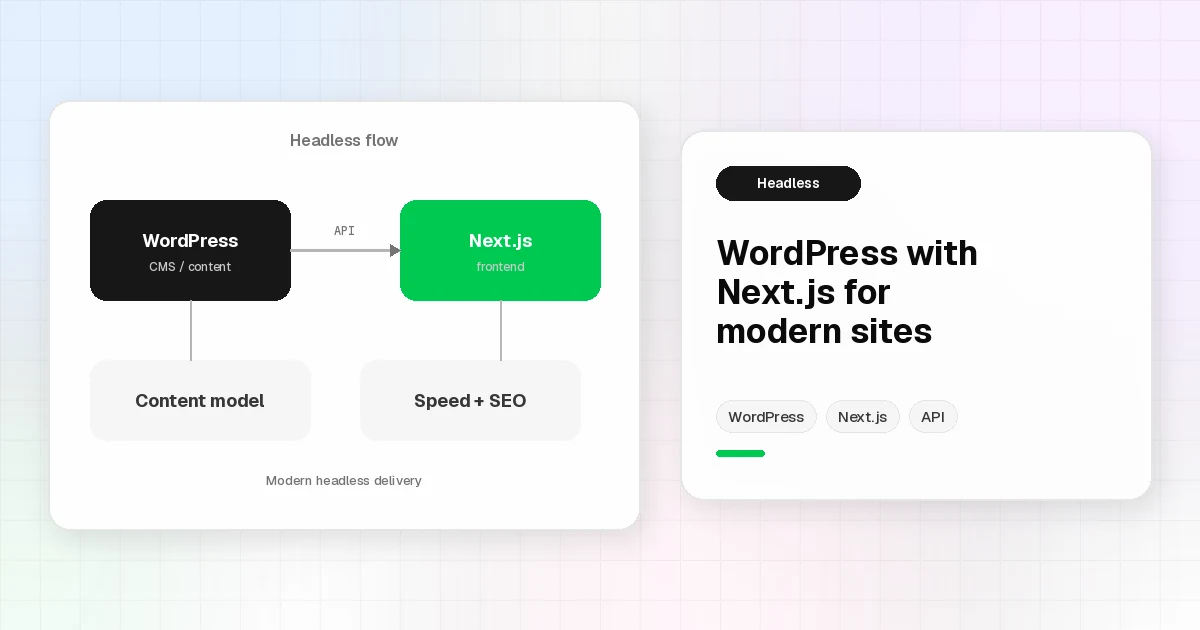
Here’s a simplified flow of how a Headless WordPress with Next.js setup works:
WordPress CMS → Editors manage posts, pages, media, and custom fields.
API Layer → WordPress exposes content via REST API or GraphQL.
Next.js Frontend → Fetches data at build time (SSG) or on request (SSR).
Deployment → Hosted on Vercel, Netlify, or any platform supporting Node.js.
This decoupled model ensures content creators and developers work independently, speeding up workflows and innovation.
Example Use Case
Imagine you’re building a blog and e-commerce hybrid site. WordPress can handle blog posts and product descriptions, while Next.js powers a fast storefront with cart functionality, API integrations, and real-time updates — all without WordPress themes slow
Getting Started
Set up WordPress (self-hosted or via managed hosting).
Install WPGraphQL or use the REST API.
Create a Next.js app using
npx create-next-app.Fetch data from WordPress using
getStaticPropsorgetServerSideProps.Deploy to Vercel (or your preferred platform).
Conclusion
Headless WordPress with Next.js is not just a trend — it’s a future-proof architecture that blends the best of both worlds. Businesses gain editorial simplicity, developers enjoy flexibility, and users get blazing-fast, modern experiences.
If you’re ready to modernize your WordPress site or start fresh with a high-performance frontend, exploring this setup is a no-brainer. 🚀