
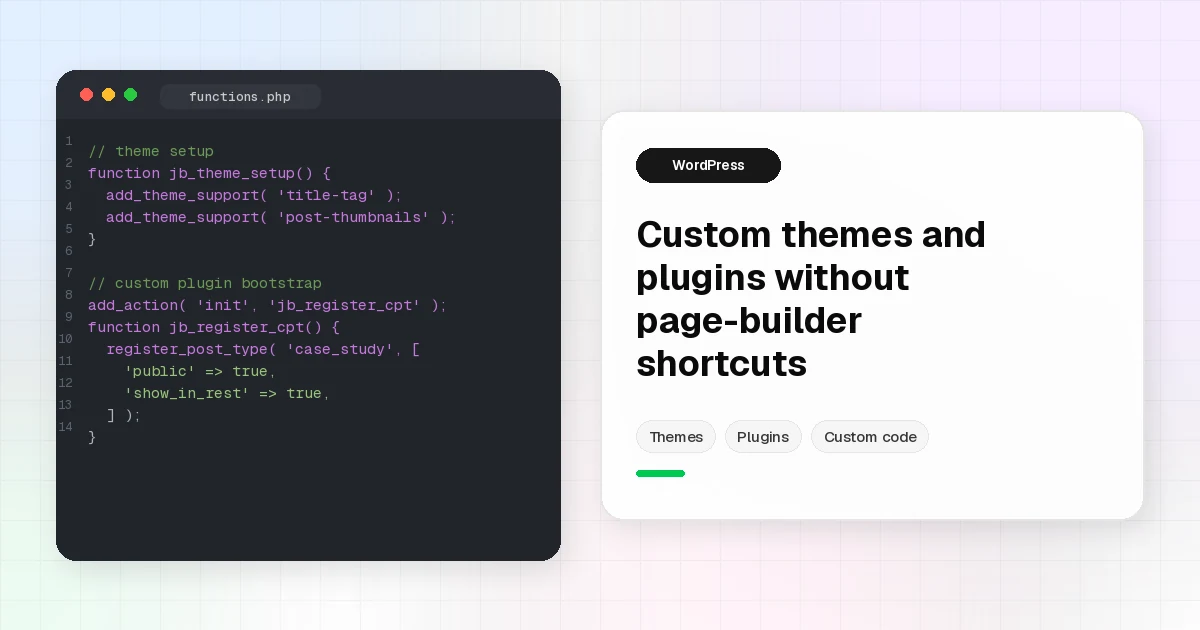
Custom WordPress Themes and Plugins Without Page-Builder Shortcuts
Page builders are useful. They are also a common reason WordPress sites get slow, brittle, and expensive to change later. As a Senior Web Developer, I reach for custom WordPress theme development and custom plugins when the work needs clean structure, predictable performance, and code that another developer can maintain without fighting a stack of visual builder layers.
This post explains when custom beats a builder on real client work, what “custom” means in my practice, and how that shows up in projects you can already see on my portfolio.
What “custom” means here
Custom does not mean reinventing WordPress for sport. It means building the right layer for the job:
- A custom theme when the front end, templates, and content model should match the brand and content workflow, not a generic builder canvas.
- A custom plugin when the behavior is product logic: search, fitment, quotes, CRM-style lead routing, or third-party APIs.
- Tools like Advanced Custom Fields (ACF), custom post types, and PHP templates when editors need structured fields without turning every page into a one-off builder layout.
I am not an Elementor specialist. I am a Senior Web Developer who ships WordPress as software: themes and plugins that are versionable, reviewable, and maintainable.
If you need WordPress as a content API with a modern front end, that path is covered in Headless WordPress with Next.js. This article focuses on classic and hybrid WordPress builds where the theme and plugins still carry the experience.
Custom WordPress theme development: structure first
A custom theme is worth it when:
- Brand and layout are specific enough that a starter or builder theme becomes a pile of overrides.
- You need reusable template parts (header, footer, cards, forms) instead of duplicated builder sections.
- Performance and markup quality matter for SEO and Core Web Vitals goals (clean HTML, controlled assets, no mystery CSS).
- Content editors need stable templates with fields, not freeform page painting on every page.
Typical structure I care about:
- Clear template hierarchy (
front-page.php,page.php, singles, archives, custom page templates). - Template parts for repeated UI.
- Enqueued scripts and styles (no dumping everything into the global footer by accident).
- Mobile-first CSS that stays under your control.
- Content models that match how the business actually publishes (services, locations, case studies, FAQs).
On AutoGlassCRM, the marketing site was a custom WordPress theme built around product messaging, lead capture, and CRM-related integrations. The point was not “more widgets.” It was a theme that matched the brand and handed leads into the systems the business already used.
On Bastrop Auto Glass, a custom theme supported an instant-quote style flow with vehicle inputs (including VIN-oriented workflows). That kind of UX rarely stays maintainable if every step lives as a fragile builder section.
Plugin approach: when behavior belongs in a plugin
Themes present content. Plugins own features that should survive a redesign.
I build or extend plugins when the problem looks like:
- Domain logic (vehicle fitment, quote routing, garage/saved vehicles).
- Integrations (WooCommerce hooks, CRM APIs, VIN decoding).
- Admin tools (CSV import/export, validation, debugging).
- Reusable shortcodes or blocks that must work across multiple templates.
Racing Chips is a clear example of WordPress custom plugin development: a Year-Make-Model-Engine search experience plus a WooCommerce connector so vehicle context persists through cart, checkout, and orders. That is product behavior. It belongs in plugins with a real data model, not in page-builder shortcode soup.
Rule of thumb: if marketing redesigns the site next year, the feature should still work. Put it in a plugin.
How this shows up in my work
Past AutoGlass CRM era work leaned heavily on custom WordPress: themes for marketing and portals, PHP integrations, lead flows, and CRM-adjacent wiring. You can see that pattern on AutoGlassCRM and related service sites like Bastrop Auto Glass.
At Soapbox Design LLC, the day-to-day includes WordPress themes and plugins from scratch, headless WordPress with Next.js, Shopify work, automation (including n8n and GHL), and ongoing maintenance. I will not invent client names, traffic lifts, or scorecards here. The portfolio already shows selected samples under Projects.
When the brief calls for a headless stack, Knutson Construction is a public example of WordPress as CMS with a Next.js front end: Knutson Construction. Custom still applies. The “theme” responsibility just moves partly into React components while WordPress stays the editorial system.
Technical SEO is part of the build
SEO is not a plugin you bolt on after a messy build. On custom theme work, I treat crawlability and speed as engineering constraints:
- Semantic headings and landmarks.
- Stable URL structure and sensible internal linking.
- Controlled CSS/JS payload (enqueue only what the template needs).
- Image discipline (sizes, lazy loading where appropriate).
- Schema where it fits the page type (business, article, FAQ), without stuffing.
- Forms and interactive flows that still leave indexable content around them.
I am not going to invent Lighthouse scores or ranking claims. The honest goal is simple: markup and assets that give SEO tools something clean to work with, and that do not fight Core Web Vitals for no reason.
When I still use a builder
Custom is not a religion. Builders can be the right call when:
- The page is a short-lived landing page and ship date is measured in days.
- The client’s team must edit layout themselves and accepts the tradeoffs.
- Scope is marketing-only and the long-term maintenance cost is understood upfront.
Even then, I try to keep critical logic (forms that hit CRMs, product search, checkout rules) in plugins or server-side code. Builders for layout. Code for behavior.
Who this approach is for
Choose custom WordPress theme development (and plugins) when you care about:
- Long-term maintainability over short-term page painting.
- Performance and clean markup as part of the product, not an afterthought.
- Integrations that must stay stable across redesigns.
- A Senior Web Developer who will say no to the builder when it will create debt.
If that sounds like your next WordPress build, look through the projects, read a bit about me, and get in touch.