
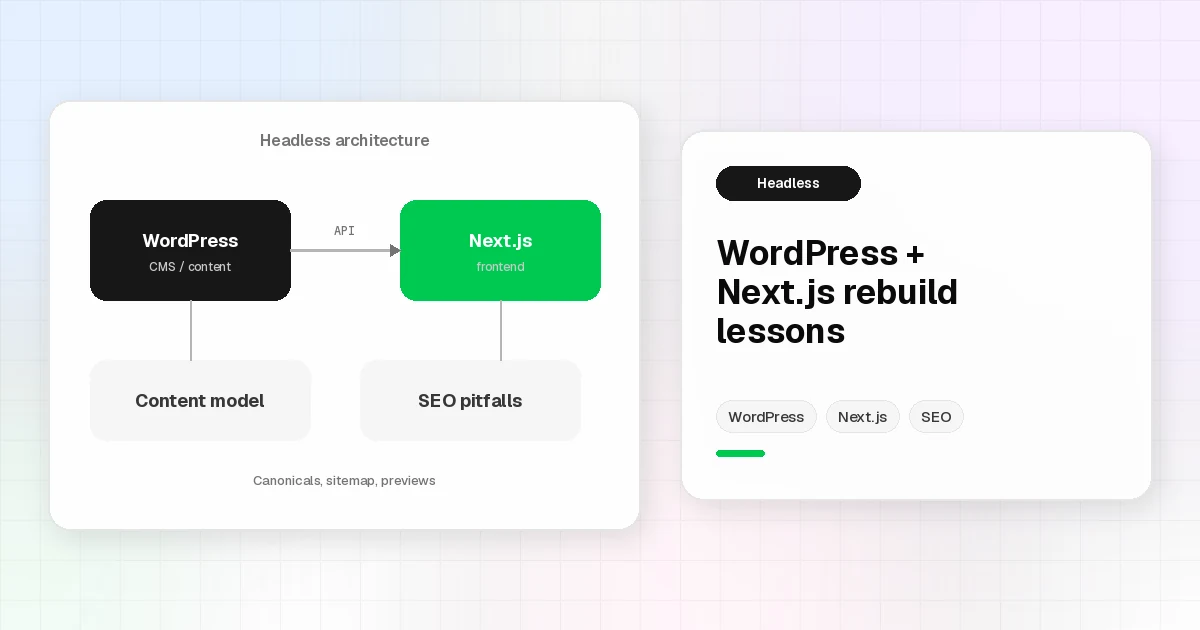
Headless WordPress with Next.js on a Real Rebuild
Headless WordPress with Next.js is powerful. It is also easy to over-buy. As a Senior Web Developer, I only split the CMS from the front end when editorial needs, performance goals, and team skills justify the extra moving parts.
This post is rebuild lessons, not a second primer. For the architecture overview, start with Headless WordPress with Next.js: The Future of Modern Web Development. Here I focus on what tends to bite during a real rebuild, using patterns from work like Knutson Construction.
When headless WordPress Next.js is worth it
Stay on a classic WordPress theme when:
Editors live in familiar WP templates and page flows
The marketing site is mostly content pages and a blog
One team owns both content and front end
Move to headless WordPress Next.js when:
The front end needs React-level UI, routing, and image pipelines
Content types are rich (services, portfolio, team, locations, careers) and still must stay editable in WP
You want SSG, SSR, or hybrid rendering without fighting PHP theme constraints
If you are mainly escaping a page builder, fix the theme first. Headless is not a shortcut around unclear content models.
Rebuild lessons (Knutson-style, kept general)
On a rebuild like Knutson Construction, WordPress stayed the content backend while Next.js owned the public experience. The useful lessons were less about “React is cool” and more about discipline:
Model content types early (services, industries, portfolio, team, blog), not after the UI is painted
Treat the API contract as a product: stable fields beat clever one-off fetches
Build a small component system that mirrors the CMS sections editors actually use
Plan media carefully: construction and portfolio sites ship large imagery, so Next.js image handling and WP media hygiene both matter
Keep navigation and taxonomy clear so dynamic routes do not become a maze
The win is a fast, maintainable front end with editors still working in WordPress. The cost is owning two deploy surfaces and the glue between them.
Content modeling and previews
Headless fails quietly when previews are an afterthought. Editors expect “Save draft, see it.” In a headless WordPress Next.js setup I plan for:
Clear draft vs published states in the API layer
Preview routes or tokens that do not leak unpublished content
Shared field naming so designers, developers, and editors mean the same thing by “hero,” “card,” or “location”
If preview is painful, editors invent workarounds. Then the CMS stops being the source of truth.
SEO pitfalls: canonicals, sitemap, host consistency
Decoupling the front end does not remove SEO homework. It moves it.
Watch for:
Canonical host drift (www vs apex) across sitemap, og:url, and canonical tags
Sitemap coverage that only lists old posts or only the CMS domain
Metadata ownership: which system writes title, description, and social images
Internal links that still point at the wrong host or stale paths
I will not invent rankings or Lighthouse scores here. The practical bar is consistency: one preferred host, a sitemap that lists what you publish, and metadata that matches the live page.
Those issues are why rebuild SEO is engineering work, not a plugin checkbox.
Who this is for
Choose a headless WordPress Next.js rebuild when the content model is solid and the front end needs more than a PHP theme can cleanly deliver. If you are weighing that call, browse the blog, look at Knutson Construction, and get in touch.
---